�
|
� |
|
41st Annual Keep
Our Future is Green -
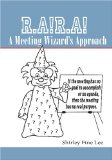
� Move From Chaos to Order with MS Office Tools organization to your life and maximize time. Learn how easy it is to use Microsoft Office applications such as Excel and Word to organize and sort data, do simple math functions, create graphs, add images to documents, and even create contact databases and customized mailings. � Demonstration by Shirley Fine Lee, author of R.A!R.A! A Meeting Wizard's Approach�� ISBN:1-4196-5367-9 Website http://www.shirleyfinelee.com contains articles on communication, organization, and team-building Blog http://2bproductive.blogspot.com contains comments on management and motivation
� |
� Click cover above to order Paperback Book or below for RARA A Meeting Wizard's Approach Kindle e-Book
Click cover above to order Paperback Book or below for TAPP Steps in Time Mgmt Kindle e-book
OPIE Project Planning and Implementation for Team - Only available as Kindle e-book on Amazon
Team Building Primer: A Start-up Guide for Developing Effective Teams,
Committees, and Other Groups
| |||||||||||||||||||||
|
Shirley Fine Lee's purpose is to help people and organizations increase capacity to produce results. Copyright � 2019 Shirley Fine Lee � |